Protection status
See Microsoft's Defender real-time protection and Windows firewall status in readable cards.

RFTUK Guardian is an official Right First Time UK service, free for members. See important Windows security checks, run Microsoft Defender scans, get clear alerts and monitor your devices — all in one easy-to-use companion.
✓ Free for Right First Time UK members✓ Windows security monitoring✓ Simple device pairing
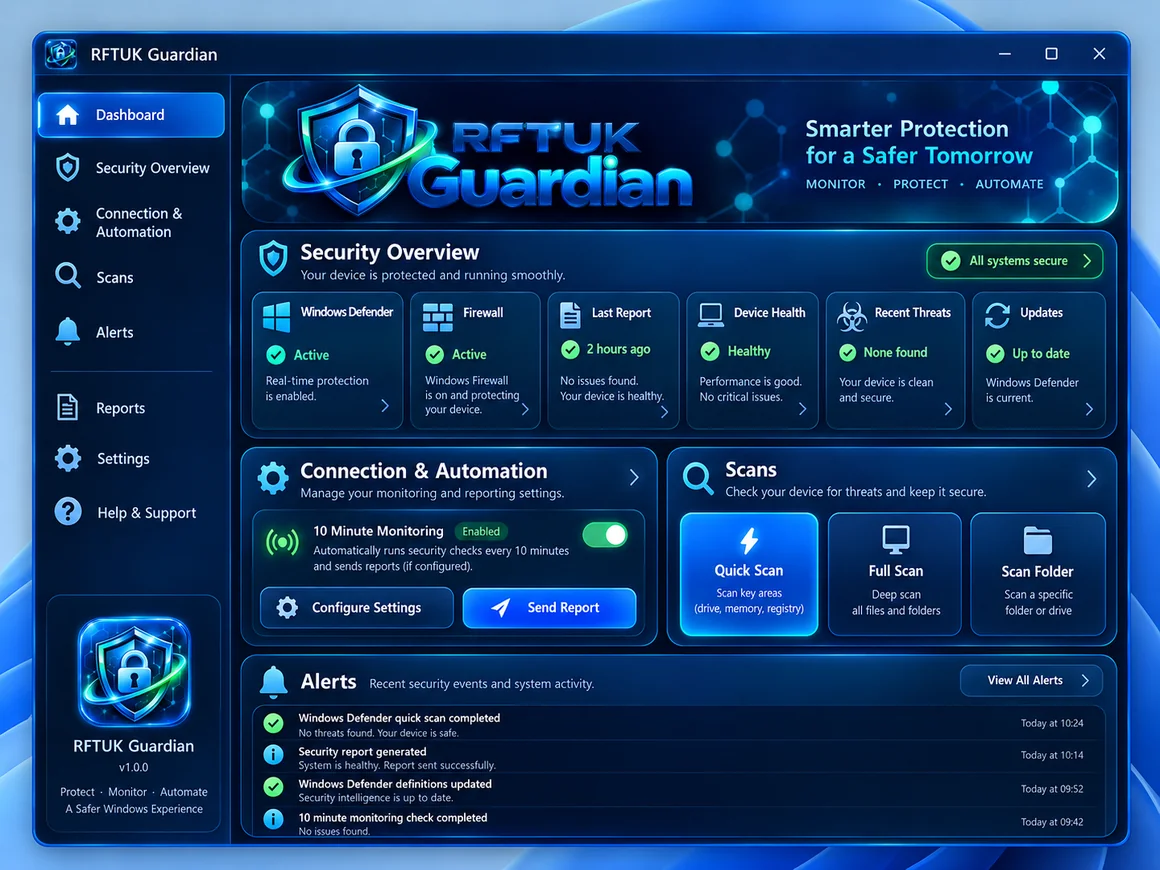
 Guardian desktop appClear checks · Defender scans · Alerts
Design preview — not a live virus scan or test result
Guardian is offered at no additional charge to Right First Time UK members. Device activation is being designed to check an active RFTUK membership before issuing a licence. The membership verification connection still requires testing before public activation is enabled.
Access your RFTUK account. Membership verification must confirm that your membership is active.
After verification, create a short-lived device pairing code for your PC. Keys are single use.
Download the test ZIP, scan it, extract it, then use INSTALL-GUARDIAN.cmd. Reconnect using your saved pairing or enter a new one-time code.
Guardian shows the status Windows reports, clearly highlights missing information and helps you review problems.
See Microsoft's Defender real-time protection and Windows firewall status in readable cards.
Run real Microsoft Defender scans or choose a folder. View detailed results in Windows Security.
Review local warnings, recent detection counts, scan status and connection problems.
Use a copy-and-paste activation code. Windows privately stores the resulting device credential.
Set Guardian to send summaries every 10 minutes while the Windows account is signed in.
View connected PC reports from your phone using the secure Guardian web console.
Design illustration — not a live security resultThis Right First Time UK service gives members clear security information at no additional Guardian charge. Large controls, a brighter security overview, scan buttons and simple pairing use the Guardian logo and icon.
The previous unsigned Windows EXE was withdrawn following a malware warning. A source-based Windows test ZIP is available instead. It requires Python 3.9 or newer with Tkinter and manual extraction. It has not been independently certified as malware-free. Mobile devices can currently use the web dashboard, not a native antivirus app.
Safety notice: A previous self-extracting Windows EXE was flagged by antivirus and has been withdrawn. Scan the new test ZIP with Microsoft Defender before extracting. If any detection appears, do not run it. A normal code-signed installer will only be offered after verification and Windows testing.
↓ Download Windows source test ZIP Open your Guardian web console →Extract the ZIP, then open WINDOWS-APP/INSTALL-GUARDIAN.cmd. Python 3.9+ with Tkinter is required. This is for owner testing only.
The phone experience is currently a mobile-friendly web app. It shows your enrolled device reports and works well on smaller screens. It is not yet a native Android or iPhone antivirus app.
Open the Guardian console in Chrome and add it to your Home screen for a more app-like experience.
Open the Guardian console in Safari and choose Share → Add to Home Screen.
See alerts, reports, scans and device status from your phone. Full native Android and iPhone security apps are still to be built and tested.
Guardian is a monitoring companion that uses your installed Microsoft Defender scanner. Keep Windows Security and system updates enabled. It does not replace antivirus software.
Yes. RFTUK Guardian is a Right First Time UK service offered free to members, with no additional Guardian membership fee. It is currently in early access; automated membership verification and general member licence activation are not live yet.
During testing, one-time activation codes pair a PC to a Guardian account. Broader member-only licences will require a verified active RFTUK membership and an authenticated membership integration. That final membership link is not yet live.
If you enable Windows Task Scheduler reporting, checks can run every 10 minutes while your Windows account is signed in. Notifications depend on Windows settings.
No. The phone version is an installable browser-based device-status dashboard, not a native Android/iPhone antivirus scanner.
The app can run on Windows 10, but ordinary Windows 10 support ended in 2025. You must independently verify Extended Security Updates eligibility or upgrade options.